Find the story
Translate founder direction and product features into a useful audience problem, a hook, and a script. Plan the content and the formats it needs to work in.
HeyBrain · Marketing Lead · ChainGPT ecosystem
HeyBrain helps people find the knowledge scattered across their work tools. I turn that product into launch films, demos, and creator ads, and build the systems that keep the content moving.
Product storytelling
Start with the launch film, scattered-to-connected story, and Muse integration concept. Then see how I explain onboarding and the knowledge graph through motion.
Loading the motion films…
Two alternate cuts of the same onboarding story, showing how caption placement changes the viewing experience.
AI creator ads
A generated presenter introduces the product. A workplace reaction sets up the problem. Real interface footage shows what HeyBrain does. These finished ads bring those pieces together through scripts, captions, graphics, and sound.
Loading selected creator ads…
What I owned
Translate founder direction and product features into a useful audience problem, a hook, and a script. Plan the content and the formats it needs to work in.
Own creative direction, solo filming, editing, captions, pacing, and sound. Use Claude-assisted animation and generated footage where they serve the story.
Design reusable layouts, character references, generation briefs, editing tools, and review steps. Direct coding agents as they help implement the production tools.
Manage content calendars and distribution. Use UTM tracking and weekly performance reports to guide the next content cycle.
The creator characters are AI-generated. Motion films use recreated product interfaces; creator ads also use real product footage. I direct the story and review the finished work.
The systems behind the work
I built the workflow around the decisions a good ad needs: what will make someone care, what the product can show, and what the final edit should feel like. Reusable references and organized assets carry those decisions into the next piece.
Choose an audience problem and connect it to a product benefit. Write the hook, script, and visual brief.
Use character references to generate the creator footage. Capture the product flow or direct a motion sequence around the script.
Bring footage, captions, graphics, voice, and sound together. Shape the timing so the product proof follows the hook.
Check identity, framing, copy, sound, and playback. Keep approved assets and references organized for future edits.
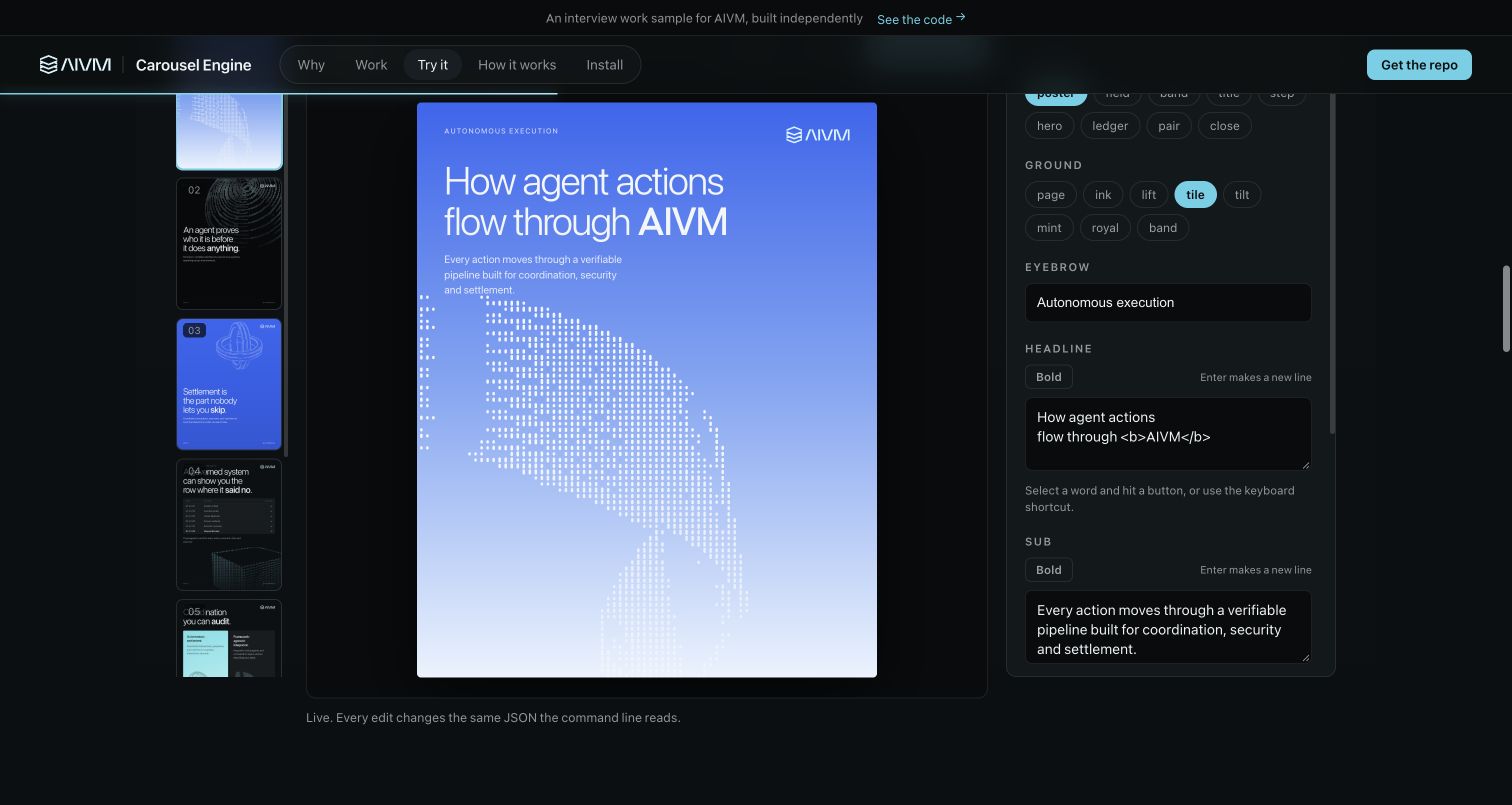
I built a custom editor for reusable layouts, brand settings, artwork, and editable slide copy. It gives content a consistent visual starting point while leaving room to change the story.
The public prototype below is an independent work sample. Later internal versions added direct editing, portrait and landscape output, artwork import, and generation workflows. The preview and export use the same renderer, so revisions can be judged before delivery.
A local toolkit brings banners, carousels, animated graphics, and video templates together. Editable project files let me move between AI-assisted creation and hands-on revisions.
A dedicated editing tool turns approved reaction footage into captioned creative. The preview uses the output renderer so timing and placement can be checked before export.
Character references, prompts, artwork, layouts, and finished clips stay organized so a new brief can start from approved material.
Review batches and correction notes keep quality decisions visible. I check the finished visuals, copy, pacing, sound, and playback before delivery.
One delivered batch contains 90 clips across 10 recurring AI characters. It is a reusable source library for edits, separate from the finished films and ads above.
Browse the reaction library